Behind the Scenes at a Restaurant WhatsApp CRM: What Actually Happens Between the Messages
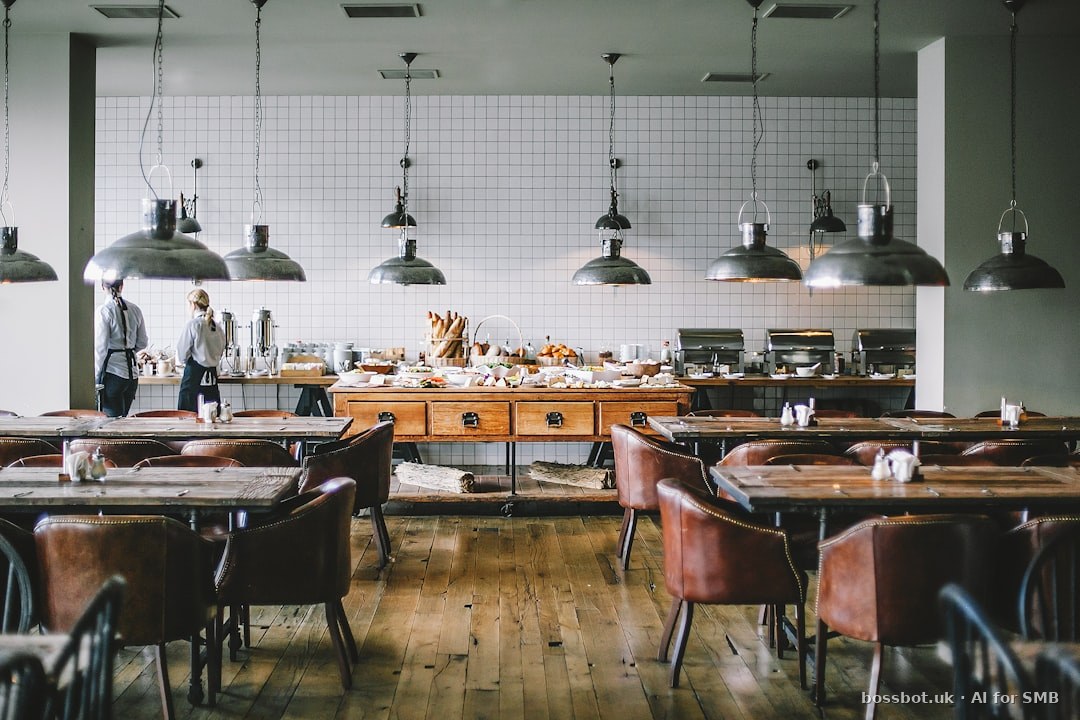
What the customer sees, and what actually happens
A customer messages your restaurant to book a table for Friday at 8pm for four people. She receives a confirmation within seconds. From her perspective, this is a single, simple interaction: message goes out, confirmation comes back.
From your restaurant CRM's perspective, that single interaction is the visible tip of a substantial iceberg. Between her message and the confirmation, quite a lot happens. Understanding what happens — and evaluating whether your CRM handles each piece well — is the difference between an automation that supports operations and one that damages them.
What follows walks through the behind-the-scenes work that a well-designed restaurant CRM does between the visible messages. Not features to list in a comparison chart; actual operations.
The dedupe check
Before your CRM confirms Friday at 8pm for four people, it needs to check that Friday at 8pm for four people is actually available.
Sounds obvious. Isn't necessarily. Restaurants often accept bookings across multiple channels — WhatsApp, phone, Instagram DMs, OpenTable or Bookatable if you use them, walk-in requests. If your CRM only knows about WhatsApp bookings, it will confirm slots that are actually taken through other channels, and you'll have double-bookings at 8pm Friday.
Good CRM design: dedupe against all booking channels the restaurant uses. Every booking, regardless of source, goes into one unified availability calendar. WhatsApp confirms only slots that are actually free after all channels are considered.
What this requires: integrations with your other booking sources. If the CRM can't integrate with OpenTable, your WhatsApp bookings will always be at some risk of dedupe failure.
The party-size seating logic
Your customer asked for four people. Your restaurant has tables of different sizes — two-tops, four-tops, six-tops, and maybe a couple of larger community tables.
Simple logic would put her at any four-top that's free. Better logic considers the specific reservation context and books to optimise total-restaurant capacity utilisation.
Example: if it's Friday at 8pm and every four-top is already booked, but you have a six-top available, do you seat her at the six-top (wasting two seats) or defer her to 8:30pm when a four-top clears?
Better logic considers: her party's flexibility to shift 30 minutes; the likelihood of a two-top walk-in filling the leftover seats at the six-top; the restaurant's overall Friday-at-8pm demand pattern.
CRMs that handle this well produce meaningfully better restaurant capacity utilisation. CRMs that handle it poorly leave money on the table on peak nights.
The allergen and dietary flag
Your customer's reservation has a note: 'One person in our party has a severe nut allergy.' She mentioned this in the WhatsApp thread.
Good CRM design: this note is captured as a structured allergen flag, propagated to the kitchen's booking view for Friday at 8pm, and surfaced to the specific server who will be assigned the table.
Bad CRM design: the note sits in the WhatsApp thread and gets seen only if the front-of-house staff scroll back to review the specific reservation's thread before the party arrives.
The consequence of bad design: the nut allergy detail is missed. The kitchen doesn't know. The customer's severe allergy manifests during dinner. This is not hypothetical. This happens.
Restaurant CRM allergen handling is not a nice-to-have; it's a safety-critical feature. Evaluate whether your CRM captures dietary information structurally and propagates it appropriately.
The waitlist rotation
Friday at 8pm is a popular slot. Your restaurant is fully booked. Your CRM told the customer 8:30pm was available; she booked 8:30pm and requested to be on the waitlist for 8pm if anything opens.
Behind the scenes: the CRM tracks the waitlist. If a cancellation for Friday 8pm arrives at 6pm Thursday, the CRM should notify her immediately. If the cancellation arrives at 5pm Friday, the CRM should notify her but with clear communication that the notification window is short.
Waitlist notification without a defined response window creates confusion. Good CRM design includes: automatic notification, clear response deadline, and if she doesn't respond within the window, automatic move to the next waitlist candidate.
Bad CRM design: cancellations happen, waitlist notifications don't fire, the 8pm slot goes empty on a night with waitlisted customers. Revenue loss and customer frustration simultaneously.
The staff assignment behind the scenes
Once Friday 8pm is confirmed for four people with a nut allergy, your CRM may or may not be doing something about server assignment.
Good CRM design: track which servers are on Friday evening, which have experience with allergen-sensitive tables, and preferentially assign the nut-allergy party to an experienced server. This is service-quality work the customer doesn't see but experiences.
Bad CRM design: server assignment happens ad-hoc at the door based on which section has capacity when the party arrives. Sometimes the nut-allergy party ends up with a server on their first weekend of solo shifts. Service quality suffers.
The pre-arrival preparation
Between the confirmation and the arrival, good CRM design handles pre-arrival preparation.
A reminder to the customer 24 hours before, with the specific booking details and any relevant restaurant information (parking, dress code, gluten-free menu availability if she mentioned that). A separate reminder 2 hours before if the restaurant runs that pattern. A message to the kitchen 30 minutes before arrival reminding them of the allergen note. An arrival flag to the front-of-house that the party is approaching so the table is ready.
All of this happens behind the scenes. The customer sees the reminder to her; the kitchen sees the allergen alert; the front-of-house sees the arrival flag. None of them sees the coordination logic that connects these events.
Bad CRM design: only the customer-facing reminders happen. The kitchen doesn't get the allergen alert until the server calls it in mid-service. The front-of-house doesn't know the party is coming until they walk in the door. The 20-minute wait for the prepared table happens because nobody prepared it.
The post-service capture
After the party leaves, good CRM design captures the outcome for future reference. Did they arrive on time or 20 minutes late? Did they order the tasting menu or a la carte? Was the allergen handled successfully? Did they leave a positive impression with the server? Were there any concerns to note for next time?
Some of this data is automatic (arrival time, order value from POS integration). Some requires a brief server input. Aggregated over months, it becomes the CRM record that lets you offer this customer meaningfully personalised service on her next visit.
Bad CRM design: no post-service capture. The next time she books, the system knows her name and last visit but nothing else. She feels like a new customer, and you're re-learning what she likes for the fifth time.
The invisible work of the post-service capture is what makes restaurants feel like they remember their customers over time.
What to look for in a restaurant CRM
Evaluating a restaurant CRM based on this behind-the-scenes work:
-
Does it dedupe across all your booking channels?
-
Does it consider party size and total capacity utilisation when confirming slots?
-
Does it capture allergens and dietary restrictions structurally and propagate them to the kitchen?
-
Does it manage waitlist rotation with defined response windows?
-
Does it inform server assignment based on relevant capabilities (experience with allergen-sensitive tables, language skills, VIP handling)?
-
Does it coordinate pre-arrival preparation across the front-of-house, kitchen, and customer?
-
Does it capture post-service outcomes for future personalisation?
Most restaurant CRMs handle some of these; few handle all well. The gaps are where operational quality suffers. Ask specifically about each item; require demonstration.
Meta bills WhatsApp Business Platform utility conversations at rates varying by market — for restaurants running booking, reminder, and post-service messaging, the per-conversation cost is typically a small fraction of the customer's dinner spend. The CRM's operational depth is what determines whether the automation supports the restaurant well, not the messaging cost.
Sources
Data + numbers referenced in this article are sourced from these public documents:
Frequently Asked Questions
BossBot for Restaurants & Cafés
Product page with honest feature list, "not for you if" filter, and live demo for this vertical.
See /for/restaurant →BossBot: restaurant CRM designed for behind-the-scenes operational depth
WhatsApp Business Platform automation with multi-channel booking dedupe, structural allergen and dietary capture, waitlist rotation with defined windows, and post-service outcome capture. Seven-day free trial, no card required.
Start Free TrialNot ready to sign up yet? Try the free demo →